
Analytics
Analytics answers two separate questions: what is this costing me? and is my infrastructure healthy? Each panel loads independently, so one slow section never blocks the rest, and Refresh re-pulls everything.
Token usage
The headline numbers for the current month, broken into four totals:
The page describes its own scope precisely: “AI tokens consumed by this account, by model — overall and this month. Thinking tokens are a subset of output.”
Thinking tokens are a subset of output, not an addition to it. Adding the four figures together double-counts. If a reasoning model shows a large thinking count, that reasoning is already inside the output number.
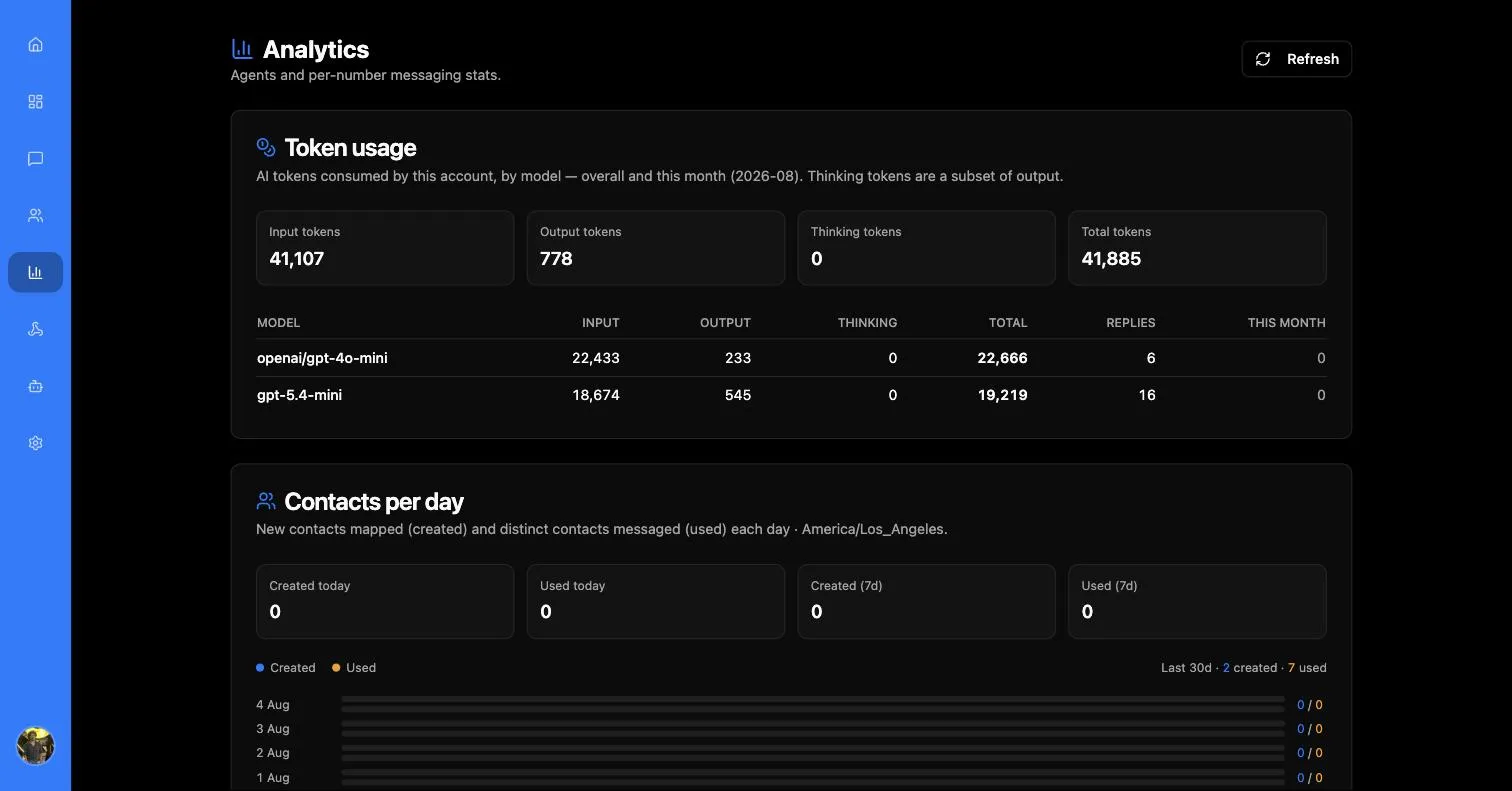
Underneath, a per-model table repeats the breakdown with a Replies column, so you can see both what each model cost and how much work it actually did. This is the screen to check after switching models — a cheaper model that needs more turns is not always cheaper.
A new app shows “No AI token usage recorded yet. Deploy an agent and exchange a few messages.”
Contacts per day
A daily chart of contacts Created versus Used, with four summary tiles: Created today, Used today, Created (7d) and Used (7d).
Created counts contacts new to your app that day; Used counts contacts that exchanged a message. Comparing them tells you whether you are growing an audience or re-engaging the same one.
Sender activity
Who is doing the sending — and it answers that per person, not per number. Team members appear by name and email, alongside two synthetic senders: Bot (badged BOT) for the AI agent, and Unknown for traffic that could not be attributed.
Set the window with From, To and Apply.
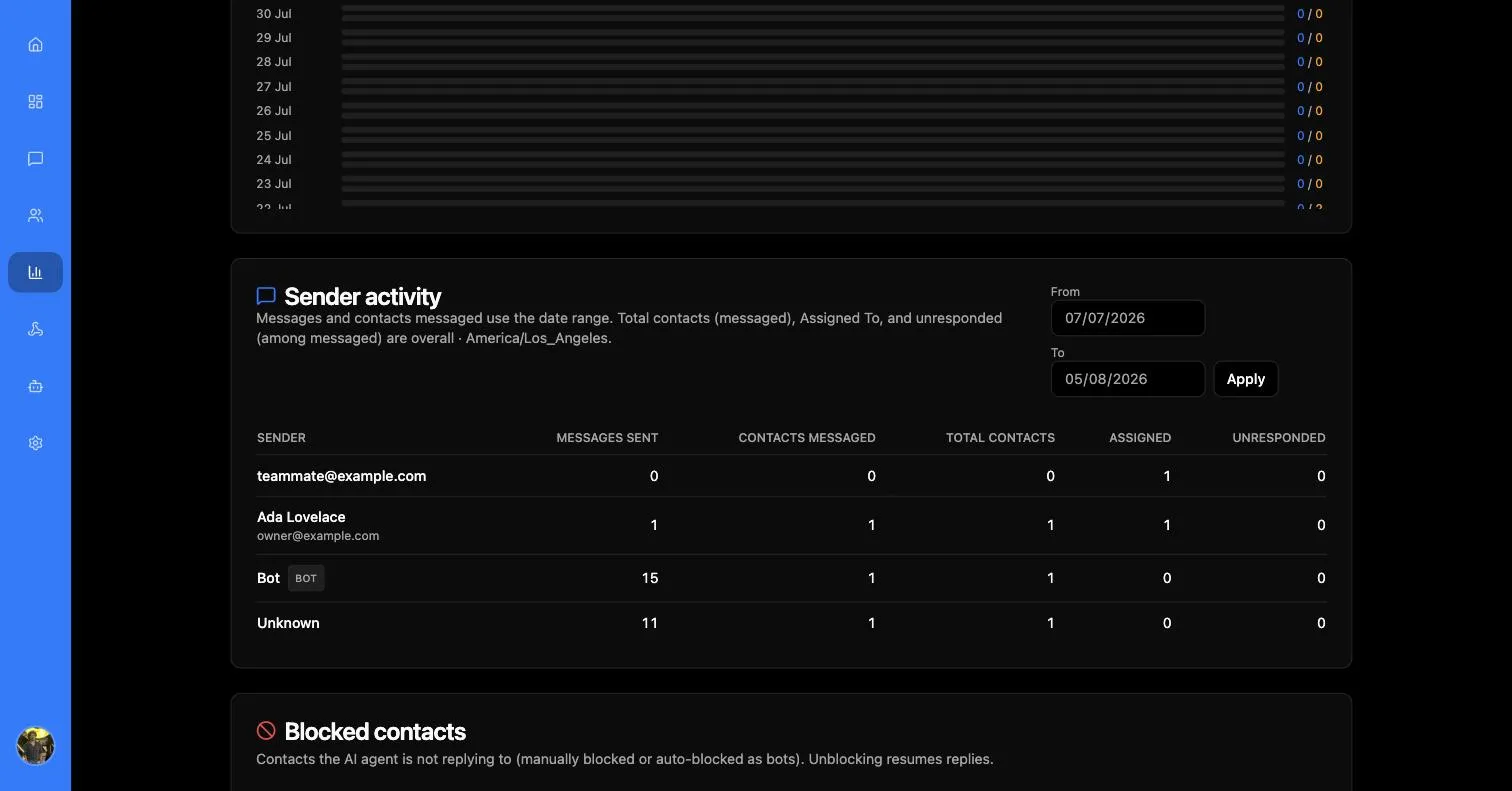
Only the first two columns follow the date range. Total contacts, Assigned and Unresponded are lifetime figures regardless of what you set — the panel says so, but it is easy to miss and easy to misread as a sudden spike when you narrow the window.
The Bot row is the one to watch: it tells you how much of your outbound volume the agent is carrying versus your team.
Empty until you send something: “No outbound messages attributed to senders yet.”
Mapped contacts
A summary of Total contacts, Assigned and Unresponded, where unresponded means the customer spoke last and nobody has answered — the closest thing to an unanswered-queue depth.
Detailed view opens a searchable, paginated table of every mapped contact:
Blocked contacts
Every contact the agent is refusing to answer:
Contacts the AI agent is not replying to (manually blocked or auto-blocked as bots). Unblocking resumes replies.
Two things land contacts here — a person blocking them from the contact drawer, and MessageBlue auto-blocking something it identified as a bot. Each entry shows its reason and when it was blocked.
Unblocking requires a reason and confirms with “The agent can reply to them again.”
Check this list when a customer complains the agent went quiet on them. An auto-block for suspected bot activity is silent by design — the contact is never told — so a false positive looks exactly like the agent ignoring someone.
Agents and devices
Agents lists “all numbers registered for this app.” Each entry shows the agent’s name (Unnamed agent if none was set), its number, an Active badge, and the device ID of the Mac backing it. Selecting one loads Number stats beside the list.
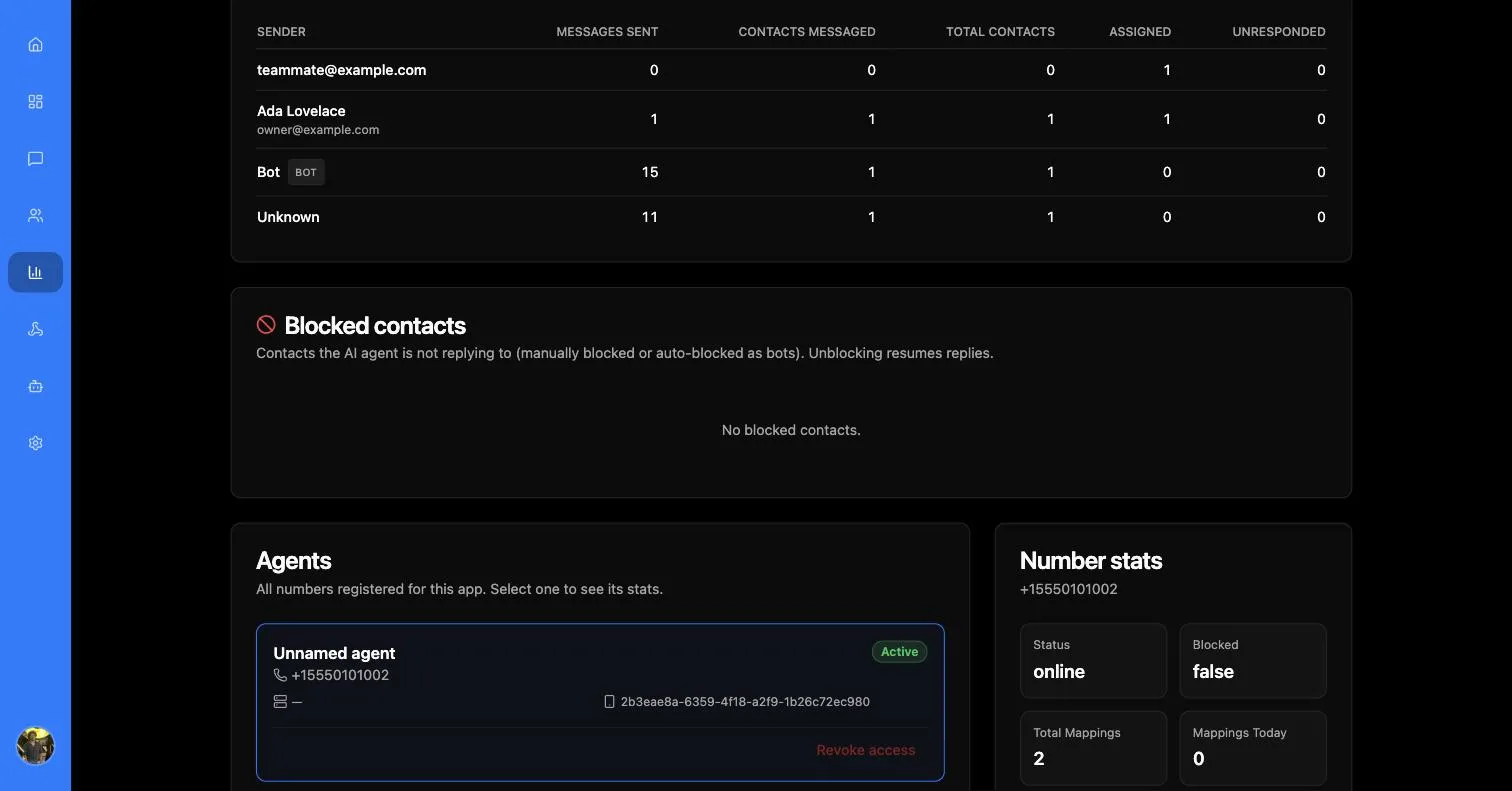
This is where you confirm a Mac agent is actually online — the same connectivity that produces “Sending number is offline” in Messages.
Revoking device access
Revoke access is admin-only and disruptive. The confirmation is blunt about it:
Removing a device can make any numbers mapped to that device unavailable. Inbound and outbound messages from that particular device can fail until you re-enroll.
Revoking removes the device’s ID and secret; the Mac agent re-enrols the next time it connects. Account ownership of the number is kept, so you are not giving up the number itself — only that device’s ability to act for it.
Use it when a Mac is lost, decommissioned, or you suspect its credentials leaked. For routine moves of a single contact between numbers, remap the agent instead.