Dashboard
Your app at a glance — agent status, phone numbers and billing
The dashboard is the home screen for an open app. It answers one question quickly — is this app actually working? — and links out to the screens that fix it when the answer is no.
The header shows the app’s name with an Apps breadcrumb back to the apps list, plus Settings and Open chat shortcuts.
The AI Agent card
The most useful thing on this screen is the agent’s status badge, which has four states:
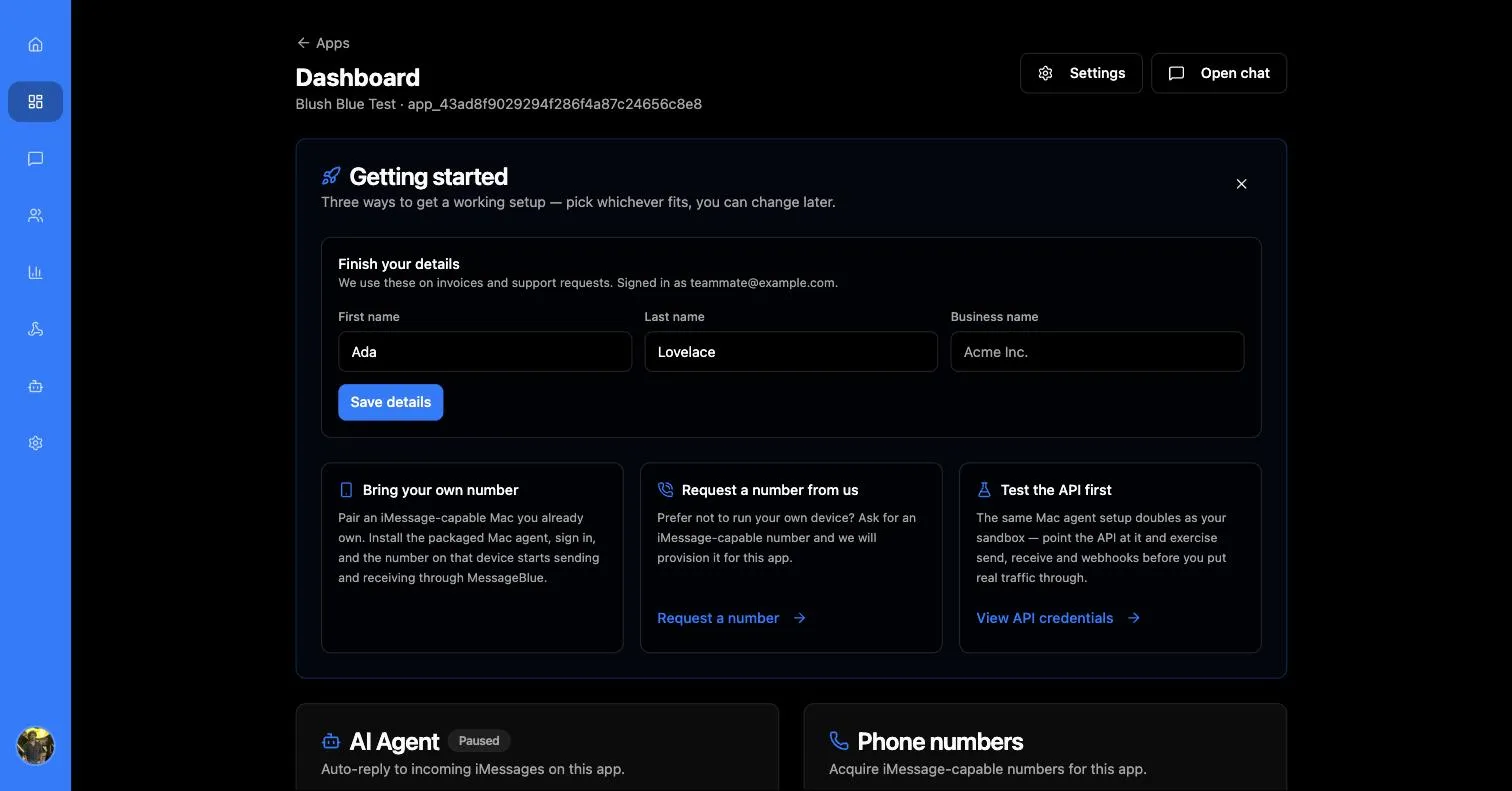
Draft and Paused show identical body text, so the badge is the only thing distinguishing them. Draft means the agent has never gone live; Paused means it was live and you stopped it. Both are fixed by deploying.
The button reads Manage agent when an agent exists and Configure agent when one does not. Both open AI Agent Studio.
Draft is the state people get stuck in. Saving a configuration does not put the agent to work — deploying does. See deploying the agent.
Phone numbers
Until a number is attached, the app can neither send nor receive. A brand-new app shows:
No phone numbers are assigned to your account yet. Request a number below and our team will assign one.
To request numbers, give How many numbers? and optionally a note — “Anything we should know…” — then press Request phone numbers. The request is queued for the MessageBlue team rather than fulfilled instantly:
Request submitted — Our team will acquire the numbers and reach out to confirm.
Typical turnaround is 3–5 business days. Outstanding requests are listed under Open requests with a Pending review status, so you can see that a request is still in flight rather than lost.
Once numbers are assigned
The card changes shape entirely. It states how many numbers the app has, then lists each one with a live connection indicator:
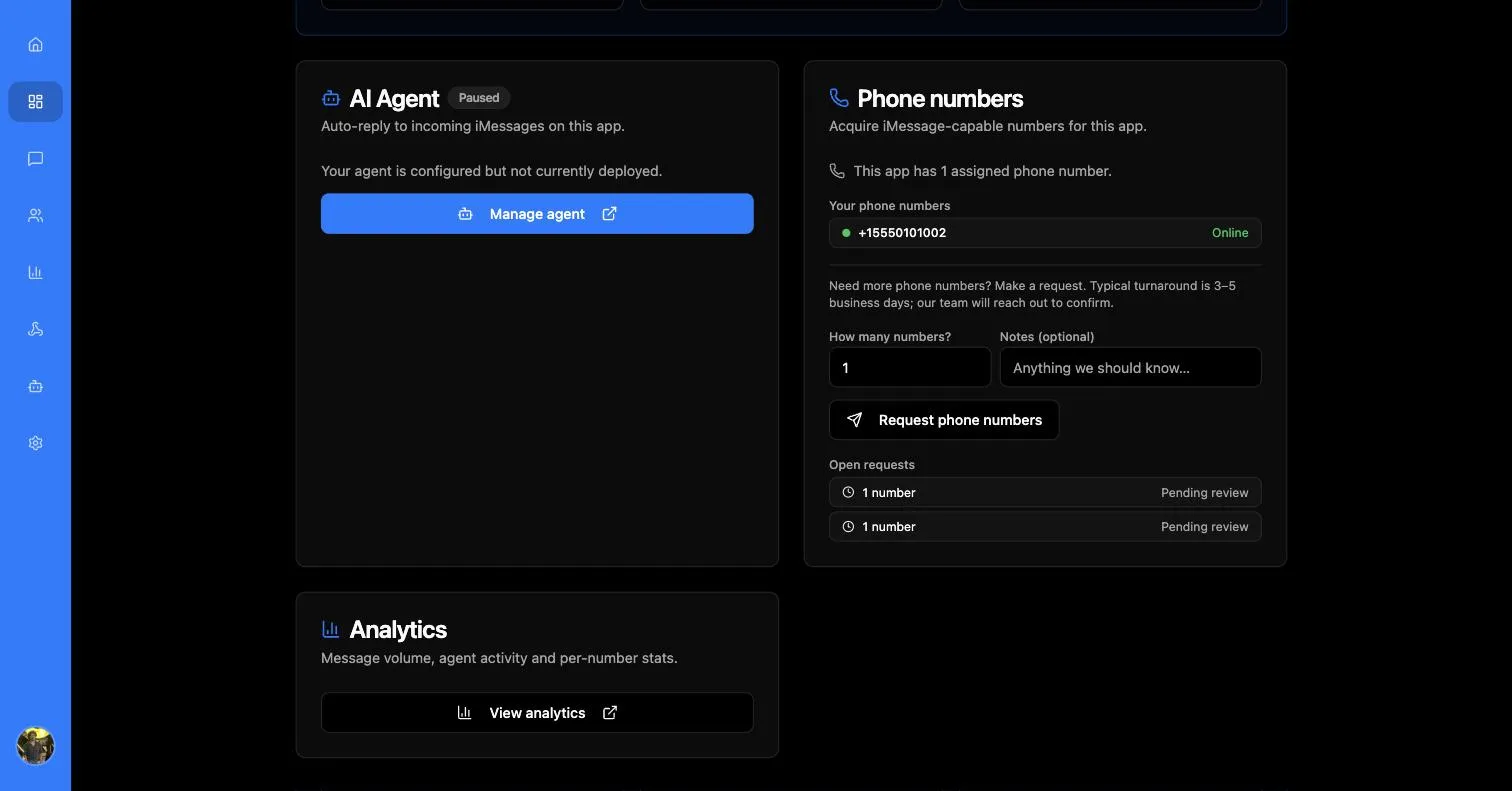
This is the fastest health check in the whole product. If messages are not going out, look here first — an offline number explains it immediately, and you do not need to open Analytics to find out.
You can keep requesting more numbers from the same card while existing ones are in use; each request stacks under Open requests.
Requesting a number is only one of the ways to get one. If you already own an iMessage-capable Mac you can pair it directly instead — see bring your own number.
There is no billing screen in this release. Plans and payment are handled with the MessageBlue team directly, not self-service in the app. If you have seen a billing card in an older build, it has been withdrawn.